Getting Started with DeskDirector
DeskDirector Portals
Browser Support
What is the DeskDirector Admin Portal?
What is the DeskDirector Tech Portal
What is the DeskDirector Client Portal?
Desktop Portal
Managing Your Account
Admin Essentials
DeskDirector Features Overview
Logging in to DeskDirector
User Profiles & Profile Pictures
Managing Tickets with DeskDirector
Office Hours
Getting Started with the Solution Library
How Searching Works
Embedding Help Page Media
Get started with the DeskDirector Power Automate Connector
Features
Portal Customization
Forms
Service Catalogue
Communication
Email Connectors
Notifications
Email Notifications
Actionable Messages for Emails
Real-Time Chats
Email Template Engine
Surveys
Broadcasts
Generative AI
DeskDirector with Generative AI
Ticket Summary for TECH Portal
Setting up AI Service Providers
Microsoft Foundry for DeskDirector
Knowledge Bases for AI Assistants
Custom Tools for AI Assistants
AI Assistants in DeskDirector
Advanced
Login & Authentication
Contact Groups
Custom Domains
File Storage
Dashboard
Accounts
Contacts
Approvals
Tags
Task Lists
The Learning Center
Portal Deep Linking
Auditing & Analytics
Microsoft Power Automate
Actions
Solutions
Featured Solution: Teams Ticket Discussion
Power Automate Template Gallery
Featured Solution: Ticket Briefing
Power Automate Administration
DeskDirector Power Platform Connector Reference
Power Automate Connector - Setting up your first flow
Microsoft Teams App
Introducing the DeskDirector for Microsoft Team App
Installing the Microsoft Teams App (Client Mode)
Installing the Microsoft Teams App (TECH Mode)
Setting up Tags for Teams Discussions (TECH Portal)
Branding the DeskDirector Teams App
DeskDirector Teams App Notifications
Contact Groups Integration with Microsoft Teams
Setting up Content Security Policy (CSP)
Advanced topic: Setting up Tech & Client Mode in the same tenancy
Integrating Microsoft Teams with DeskDirector Tech Portal
Smart Alerts for TECH Users
Integrations
Developer Resources
Getting Started
What is the Toki Iti API
API Versions & Routes
Roles & Scopes
Authorization Options
Querying the API
How to Change an Entity Through the API
API Key Authorization
OAuth Fundamentals
Understanding OAuth for Tokity Integrations: Key Concepts
OAuth Authorization Code Flow: How an App Gets Access to Tokity
OAuth App Registration
How to Register an OAuth App to Integrate with Tokity
Choosing an OAuth App Type: Confidential vs. Public Apps and Client Secrets
OAuth Personal Secrets: What They Are and When to Use Them
OAuth Administration
Configuring OAuth Settings in Tokity
Managing OAuth Authorized Sessions and User Consent
Granting OAuth Admin Consent at the Root Level
API Response Control
Uploading Attachments (Ticket API)
The Prefer Header — Overview
Controlling Returned Data (Ticket API)
Controlling Returned Data (Form Result API)
Controlling Returned Data (Workspace API)
Workspace Ordering
How Workspace Ordering Works
Creating and Reordering Workspace Groups
Adding and Reordering Tickets in a Workspace Group
Data Sync & Notifications
Delta API: Tracking Changes Over Time
Webhooks vs. Events — Differences, When to Use Which
Verifying Webhook and Event Payloads (HMAC Signature)
Ticket Widgets
Ticket Widget: Overview
How the Widget Is Requested
Ticket Widget Anatomy and Styling
Ticket Widget Actions: Leading, Secondary and Primary
Ticket Widget: Progress Type
Ticket Widget: List Type
Ticket Widget: Description Type
Ticket Widget: Form Type
Ticket Widget: Control When a Widget Refreshes
Ticket Widget: Form Results and State Across Steps
Ticket Widget: Error Responses and Debugging
Ticket Widget: Building a Multi-Step Request
Glossary
Security
Troubleshooting
Troubleshooting via Web Developer Tools
Permissions & Access - Common Issues
Contact DeskDirector Support
Troubleshooting DeskDirector Connection Issues
Desktop Portal - Common Issues
Contact Impersonation
Approvals - Common Issues
Microsoft Teams App - Common Issues
Email & Email Delivery - Common Issues
Login & Authentication - Common Issues
DeskDirector Desktop App - Installation Issues
Table of Contents
- All Categories
- Getting Started with DeskDirector
- DeskDirector Portals
- What is the DeskDirector Admin Portal?
What is the DeskDirector Admin Portal?
 Updated
by Niamh Ferns
Updated
by Niamh Ferns
Admin Portal Overview
The Admin Portal is where you can manage and configure DeskDirector.
You can add and manage your Service Catalogue, Accounts, Contacts, Permissions, Menus, Email Templates, Notifications, Branding and more. The Admin Portal is also where you can manage your account/subscription if needed.
Below is a list of the admin portals' most important functions:
- Subscription management
- Accounts/contacts management
- Service catalogue management
- Permissions & security
- Set up of custom menus
- Creation and use of custom email templates
- Company branding management
- Set up of the Learning Centre
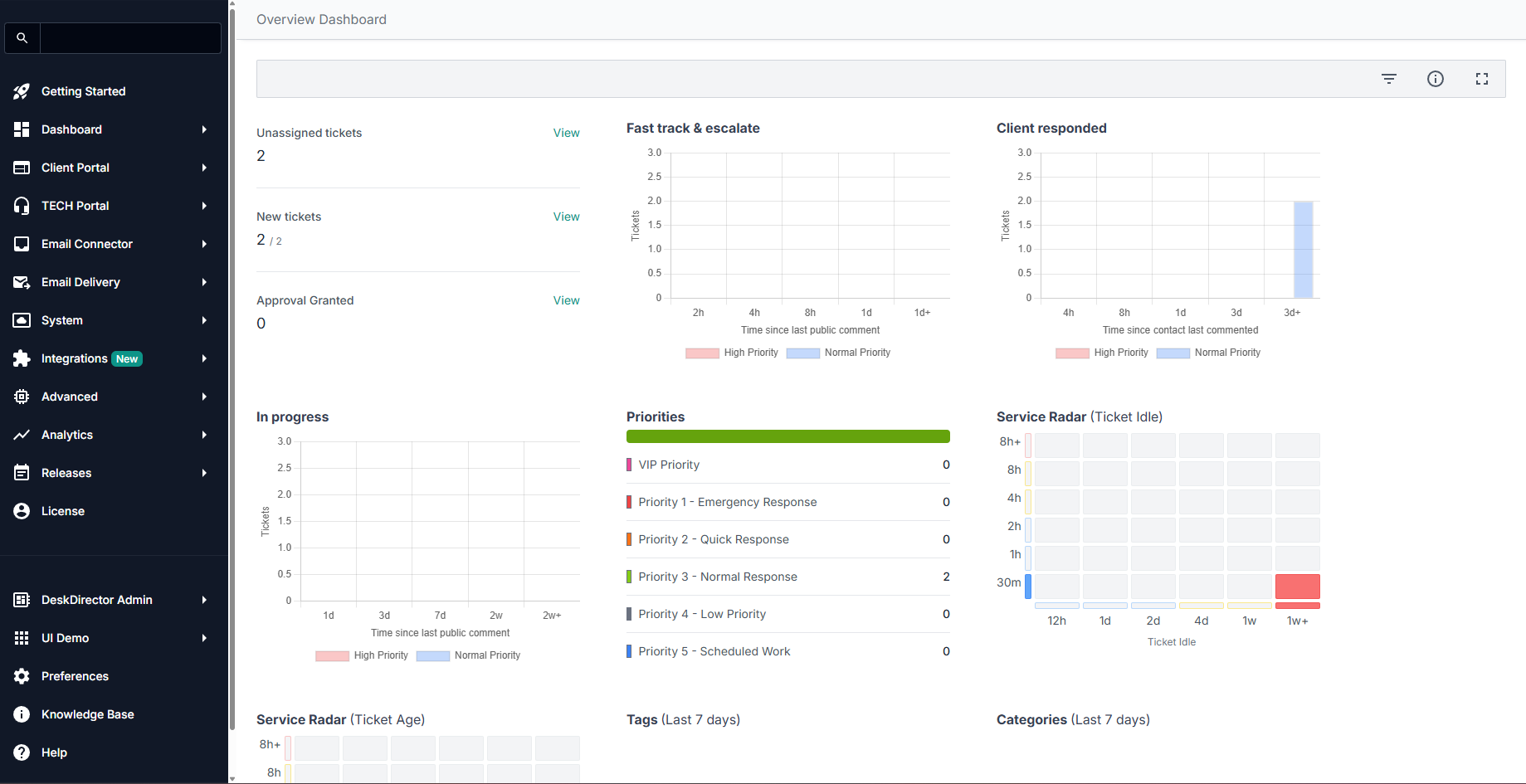
To get started in your Admin Portal, you will need to log in. Here's a quick guide on how to log in to DeskDirector:
DeskDirector Admin Portal Tabs:
Home
The Home section is the default landing page when you log in to your DeskDirector Admin Portal. This is where product updates normally appear. New features and required updates will appear on this page.
A graph of your portal engagement also appears on this page, showing the monthly activity (number of users and total user activity) for the past 12 months. Note that this graph allows you to drill down on companies and contacts alike.
Portal
The Portal section of the Admin Portal is where you can configure the Client Portal to provide the best possible user experience. You can set up accounts, contacts, permissions, service types, forms, branding, menus, notifications and more. We have separate dedicated articles for each of these, which you can check out.
TECH
The TECH Portal is the section of the Admin Portal where you can configure the role and access to different features for each service agent.
In the Agents tab of the section, you can set roles per Tech and also limit which queues and accounts they have access to. This ensures that your agents only have access to the information that they need and helps to keep your data secure.
The email templates in DeskDirector are beautifully designed and intelligently templated to inform and enable your users - both customers and service agents. You can brand the templates out of the box or make small changes to the copy or completely redesign them to your own requirements.
DeskDirector will send email notifications from your own Microsoft 365 mailbox, SendGrid account or SMTP host of choice. This can all be set up in the Email section of the platform.
System
The system section is the control panel for your DeskDirector server. Here, you can manage email templates, brand packages, authentication options, access scopes, content security policy, and more.
Global service defaults are set for tickets, approvals, new contacts, etc.
The brand packages you create here will be applied to your customer's account to provide a complete white label experience, including a custom logo, colours, URL and mailbox.
Advanced
The Advanced Section of DeskDirector is where you will set and configure service automation options - both no-code and low-code.
The Advanced section also includes diagnostic tools to help you troubleshoot any issues with the integrations. Namely, the Integration Tester and Entity Diagnosis tool.
Integrations
DeskDirector integrates seamlessly with several applications and services, and this is where you control integration for each of them. Currently, here are the applications DeskDirector can integrate with:
- Teams
- AI Agents
- Solution Library
Analytics
This page will show you a graph of your DeskDirector instances' usage, plus more specifics. This also shows usage for BiggerBrains and a Service Radar of tickets handled on your boards.
Account
These details every item in your DeskDirector subscription. You can also update your credit card information from this page, and add/remove optional features to your DeskDirector subscription.